
01Stand alone
A declaration that owes nothing to a job.
Run independent import and export declarations from one status register.
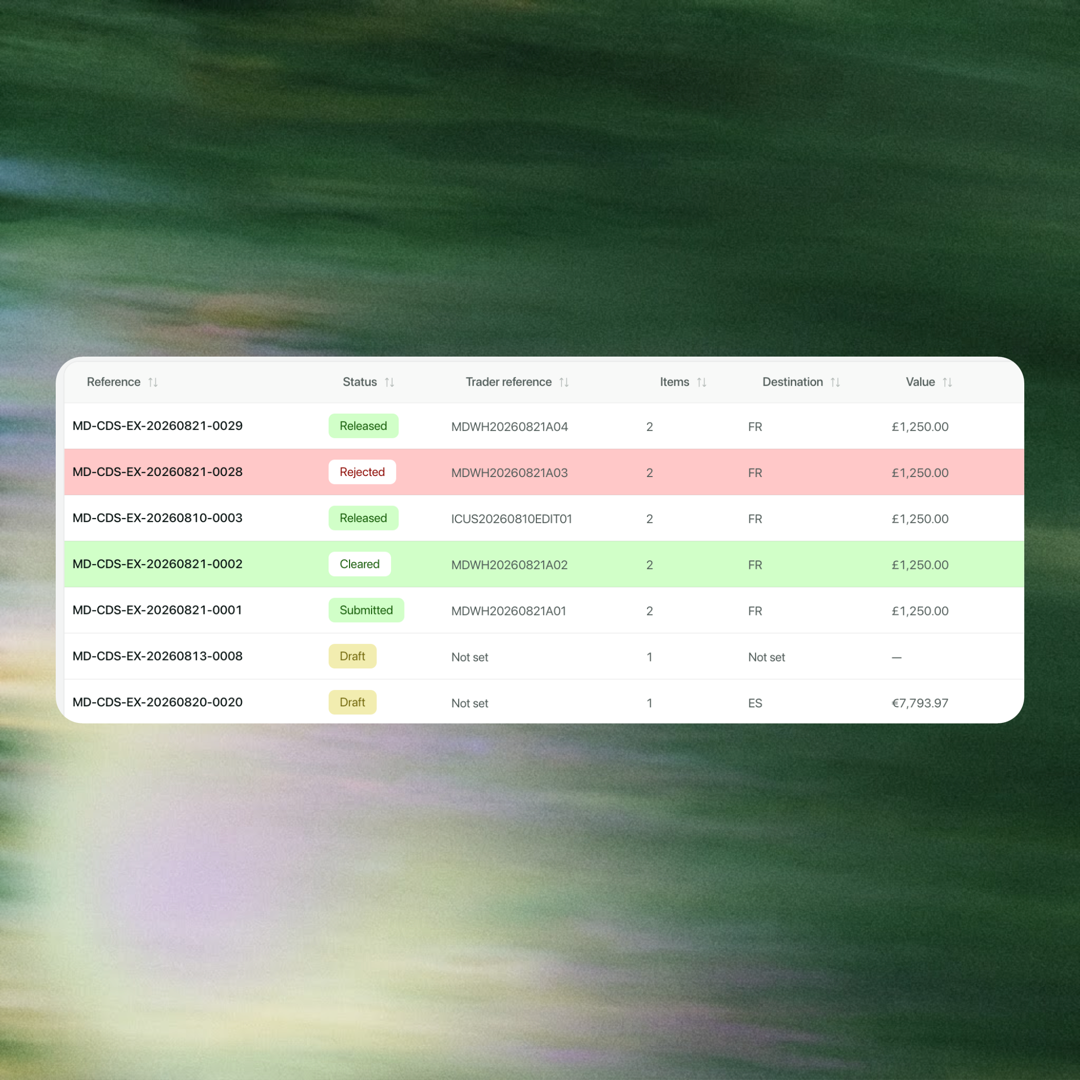
Product visuals may differ while Multideck is in development.
Every step shows what is complete, what is missing and what needs attention.
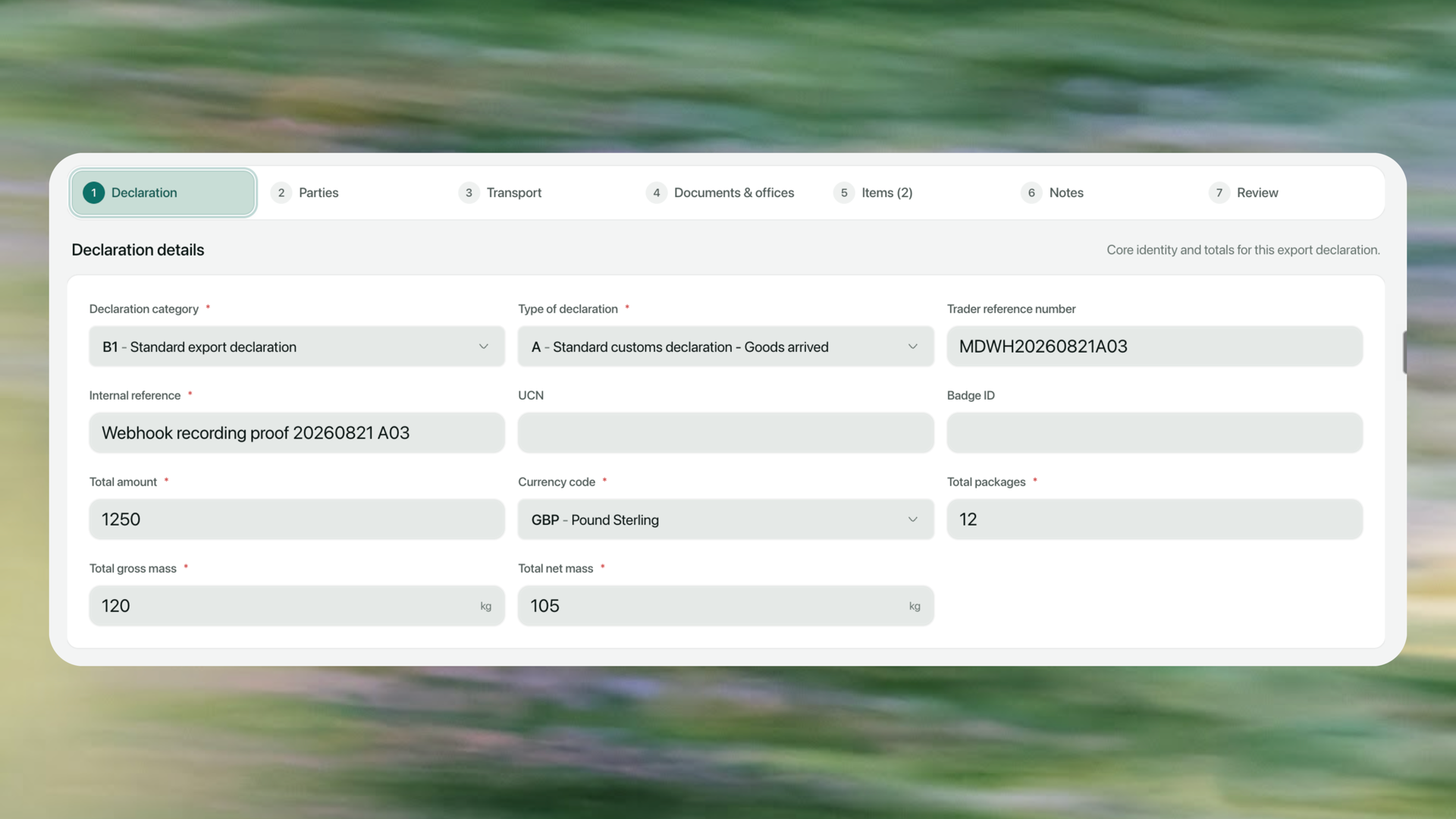
Product visuals may differ while Multideck is in development.
The cost comes from missing facts, retyped item lines and errors found too late.
In most setups the declaration lives in separate software, so the operational team cannot see its state and the customs team cannot see the commercial context. Both chase each other for information the other assumed was obvious.
Operations cannot see its state or what is blocking it.
Goods rows are rekeyed from a PDF by hand.
The message and the field to fix live apart.
Demurrage grows while the cause is still being found.
Start alone or from an existing job.
Read the invoice into traceable item lines.
Check readiness and fix errors on the right field.
Start it, fill it from the invoice, then review it before submission.
01Stand alone
Run independent import and export declarations from one status register.
Product visuals may differ while Multideck is in development.
02Job related
Bring parties, route, cargo and values forward from the job.
Bristol → Rotterdam · in transit
Job related · export · Draft
03Import the invoice
Read goods rows, group them by commodity code and approve every declaration line.
Its lines appear for review before anything changes
04Auto review
Check every required field. Rejections return against the data element that needs fixing.
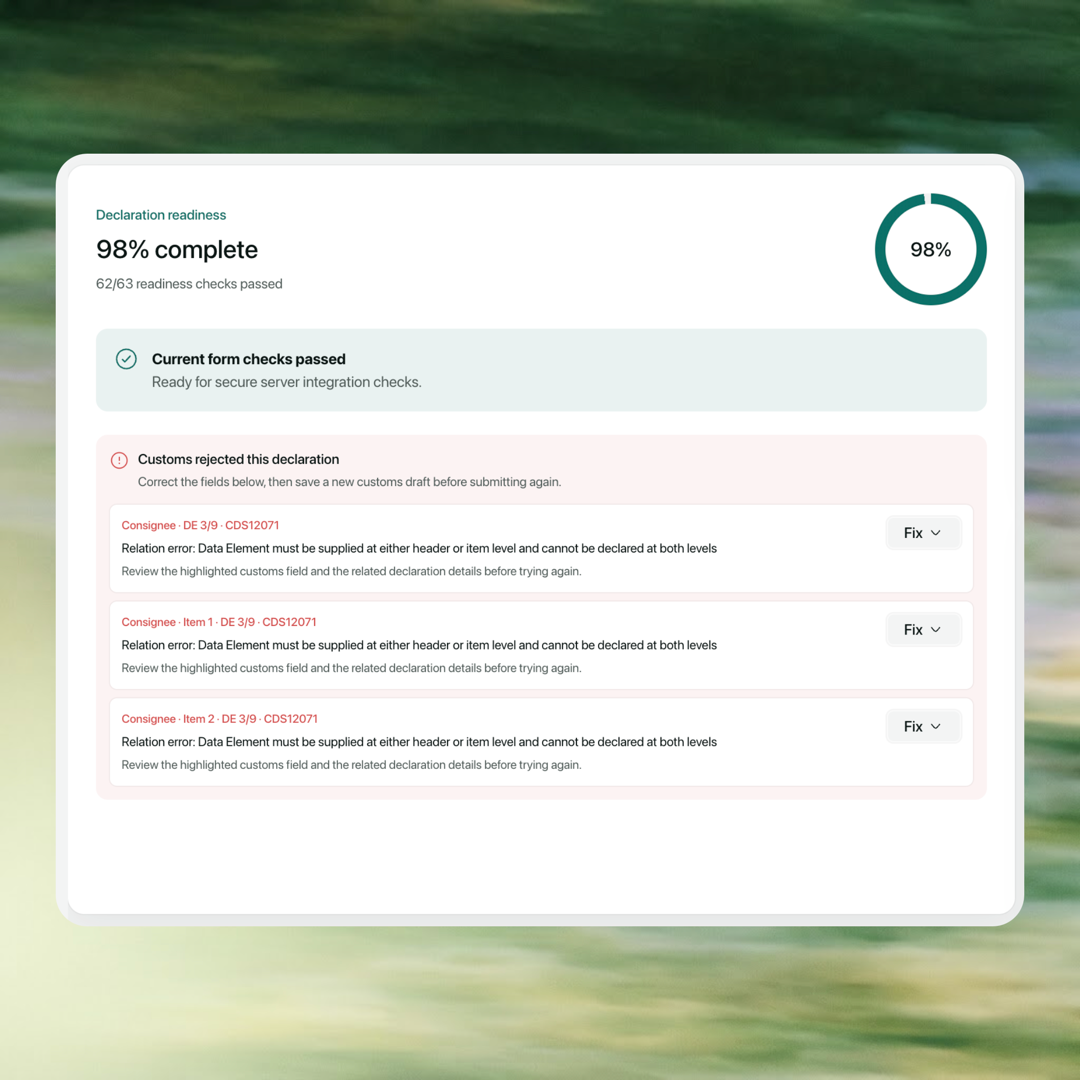
Product visuals may differ while Multideck is in development.

Your team works in Multideck. iCustoms powers the regulatory layer behind the scenes.
Prepare, review and submit without leaving Multideck.
iCustoms keeps the rules current behind the scenes.
Status, MRN and documents return to the same record.
Show us how you clear today. See the same workflow in Multideck.